Designing an integration for platform growth

CONNECTWISE

Following SkyKick's acquisition, I was brought on as Principal Product Designer to rebuild a core Microsoft Partner Center integration for a new platform — new stakeholders, new design system, tight timeline. I made the case for a platform-level approach over a product-specific feature. It shipped on time — the data foundation other platform teams needed to move forward.

StrategyAI workflow
Timeframe2025–2026
Team1 PM, 1 Lead Engineer, 2 Engineering teams
Designing an integration for platform growth
The Companies screen — home to the Microsoft Partner Center integration and the data foundation for the platform.

Problem

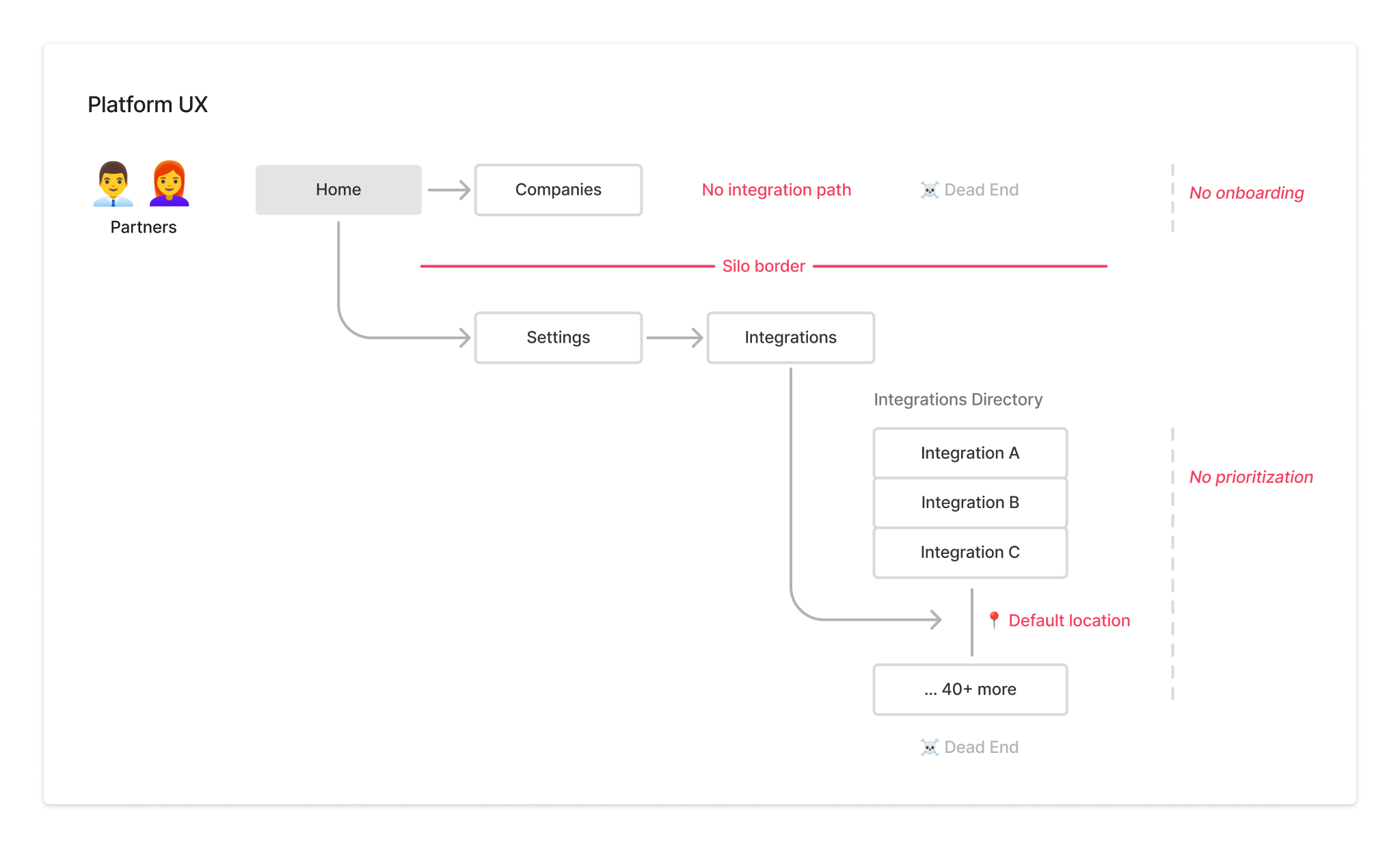
The integration had no natural place in the platform. The Microsoft Partner Center integration syncs a partner's Microsoft 365 customers into the platform — the foundation for onboarding and security reporting. We arrived to find platform integrations buried, deprioritized, and disconnected from any product-led growth strategy. It had real potential, but only if it was given a proper home. The PM, lead engineer, and I agreed we wanted to do it right. We pushed for a platform-level approach, which meant discovering the organization and initiating design-led conversations with new stakeholders.
Platform UX diagram showing partner journey with siloed state and dead ends
Legacy integrations buried and deprioritized — no shared home, no onboarding path.

Approach

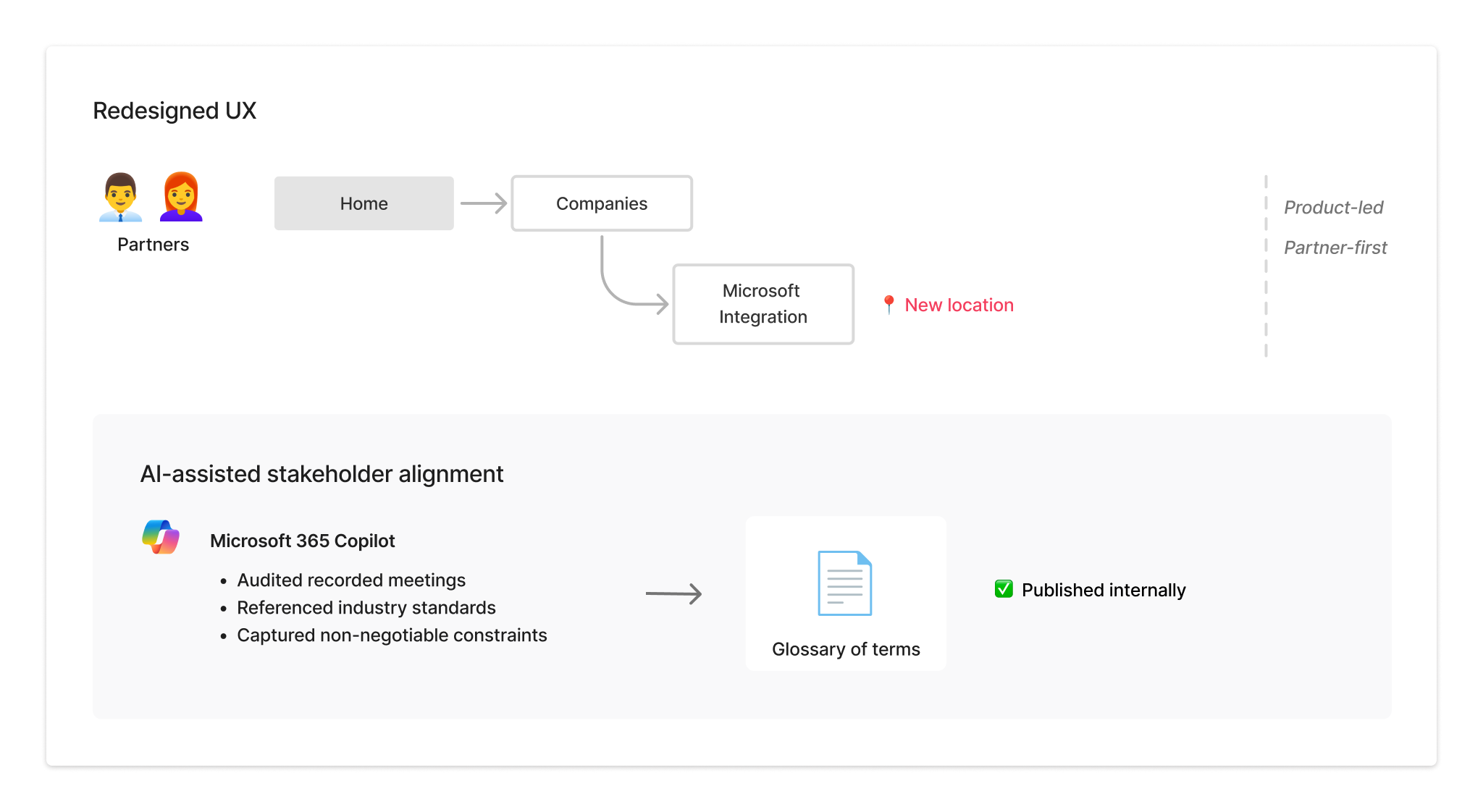
Invest in platform value. I audited the platform architecture to determine where the integration should live. The Companies screen was the natural home — it's where partners managed the customer data the integration would populate. That decision reframed it as a first-class platform feature, and was the kickoff for alignment within the company. I used Copilot as a thinking partner throughout discovery — generating the glossary, drafting usage examples so PMs could reference terms in natural language, and quickly incorporating feedback as alignment developed.
Redesigned UX diagram and AI-assisted stakeholder alignment panel
The integration flow and shared glossary — groundwork laid before design reviews started.

Solution

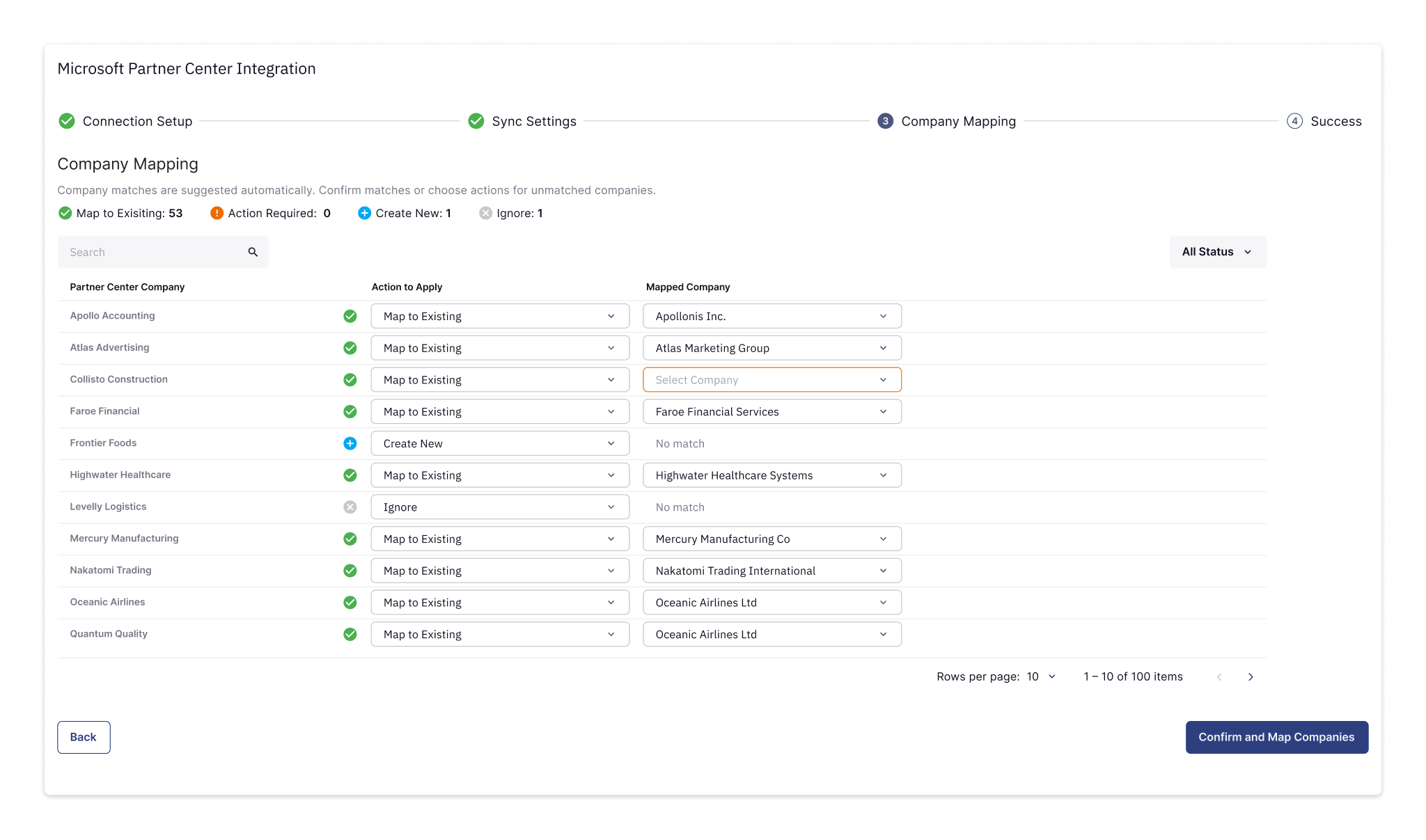
End-to-end technical flow. The core UX challenge was designing a mapping experience that felt simple to partners — while handling the complexity of reconciling existing company records with a new dynamic sync system.

1

Company mapping

I built a functional prototype in Figma Make to work through the mapping flow with the PM and stakeholders. The code-based prototype surfaced edge cases we hadn't anticipated — and gave engineering a clear functional spec with all the interactions, filtering, and validation states.
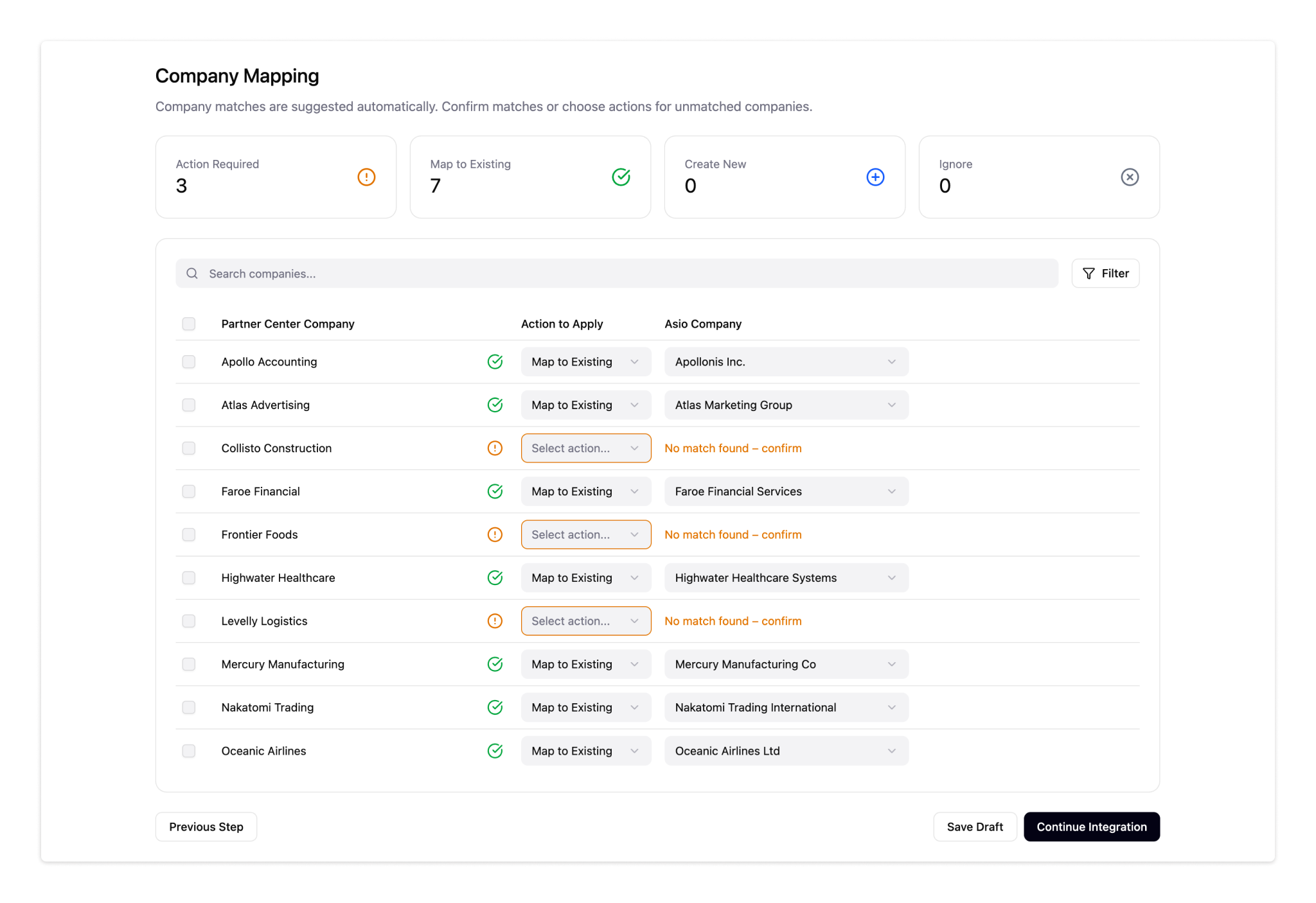
Company mapping interface with action dropdowns
Interactions and edge cases validated in Figma Make before dev handoff.
2

Post-sync management

The integration doesn't end at setup. As partners sync new tenants over time, newly discovered companies surface inline — prompting the same mapping decisions as the original flow, without starting over.
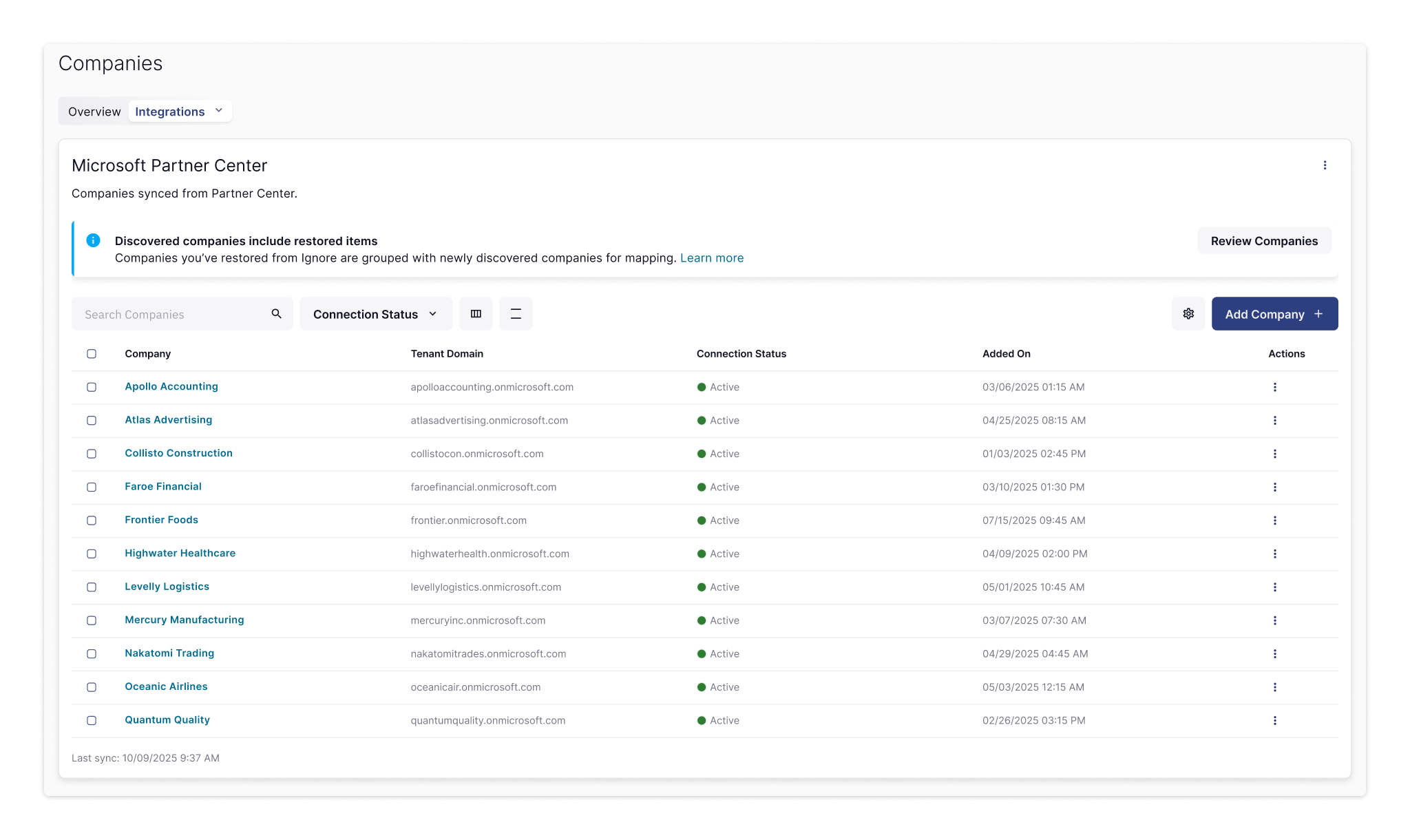
Companies screen in post-sync state
Post-sync state: the banner prompts partners to map or ignore newly discovered companies.

Outcomes

A foundation for what came next. The integration shipped in February 2026 — the first major delivery from a team new to the organization, in a company where shipping was hard. It caught the attention of company leadership. For partners, it reduced the friction of connecting and managing Microsoft 365 customers — faster setup, clearer data handling, more predictable than what came before. The integration was also the data foundation for SaaS Security reporting — once tenants were connected, the platform could surface security insights across a partner's entire Microsoft 365 customer base. For the organization, it established a pattern other teams could build on.

"It took less than 10 minutes to roll it out to all my clients using the new Partner Center Integration."