02SKYKICK

Redesigning the migration platform from the ground up

Redesigning the migration platform from the ground up
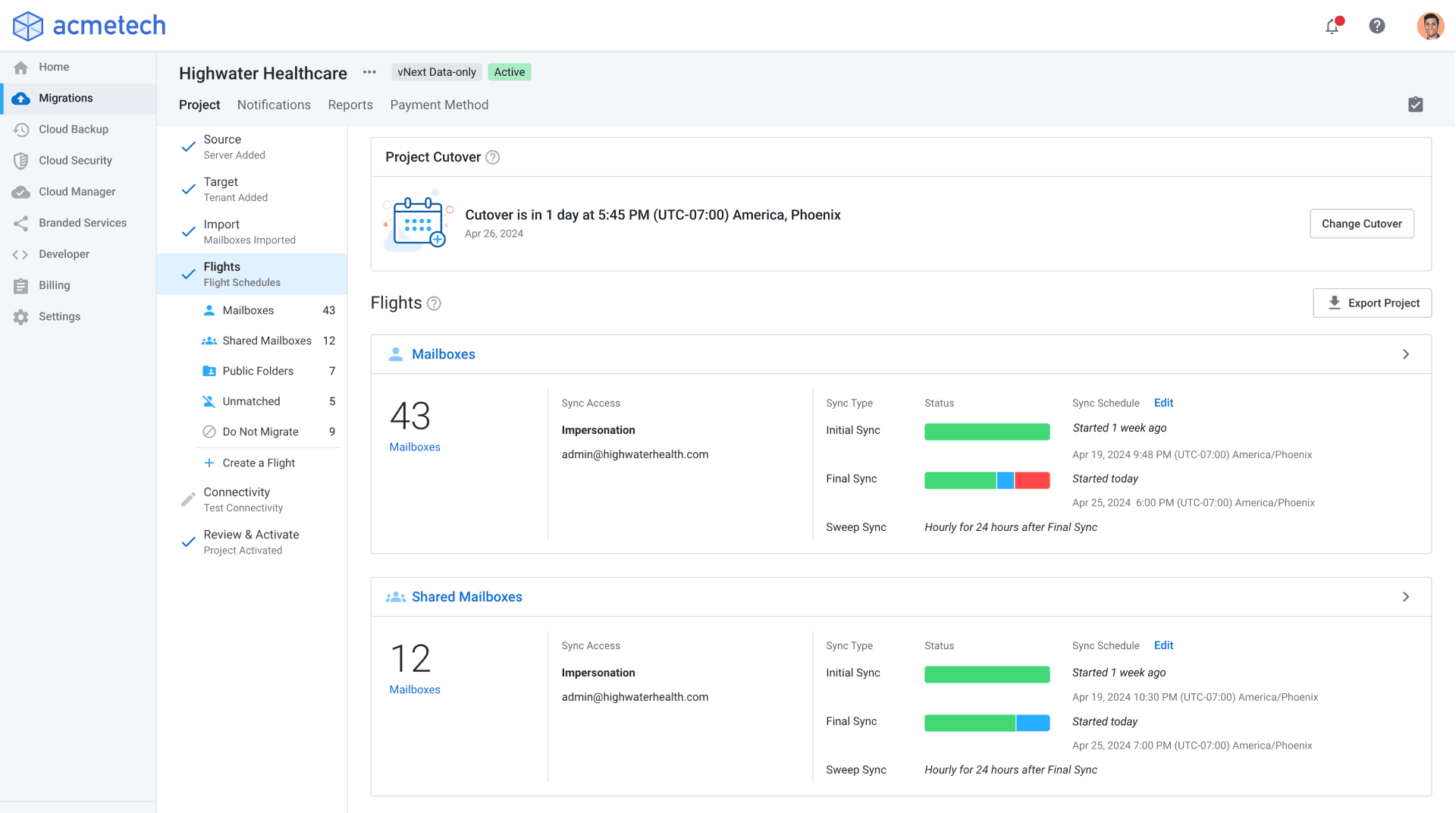
FINALThe Flights dashboard, the control surface of the redesigned experience.
47%Reduction in support tickets
53%Increase in migration projects
24%Increase in migration seats

SkyKick's email migration platform was a critical utility for IT partners, trusted for its technical depth and data integrity. Years of incremental fixes had left it complex, expensive to support, and hard to evolve. I led a ground-up redesign that cut support tickets 47% and grew migration projects 53%.

Redesign0→1
RoleUX Director/Lead Designer
Timeline2023–2024
Team3 PMs, 12 Engineers, Designer, Researcher

Context

Moving email is a sensitive operation

When companies merge or are acquired, IT providers need to consolidate the data. Every mailbox, calendar, and file has to move to a secure cloud environment. At SkyKick, the migration platform was an acquisition engine for new partners.
Diagram showing a migration from Google Workspace to Microsoft 365 managed by the migration platform
Google Workspace to Microsoft 365, a common email migration scenario.

Problem

A rigid flow, driving escalation
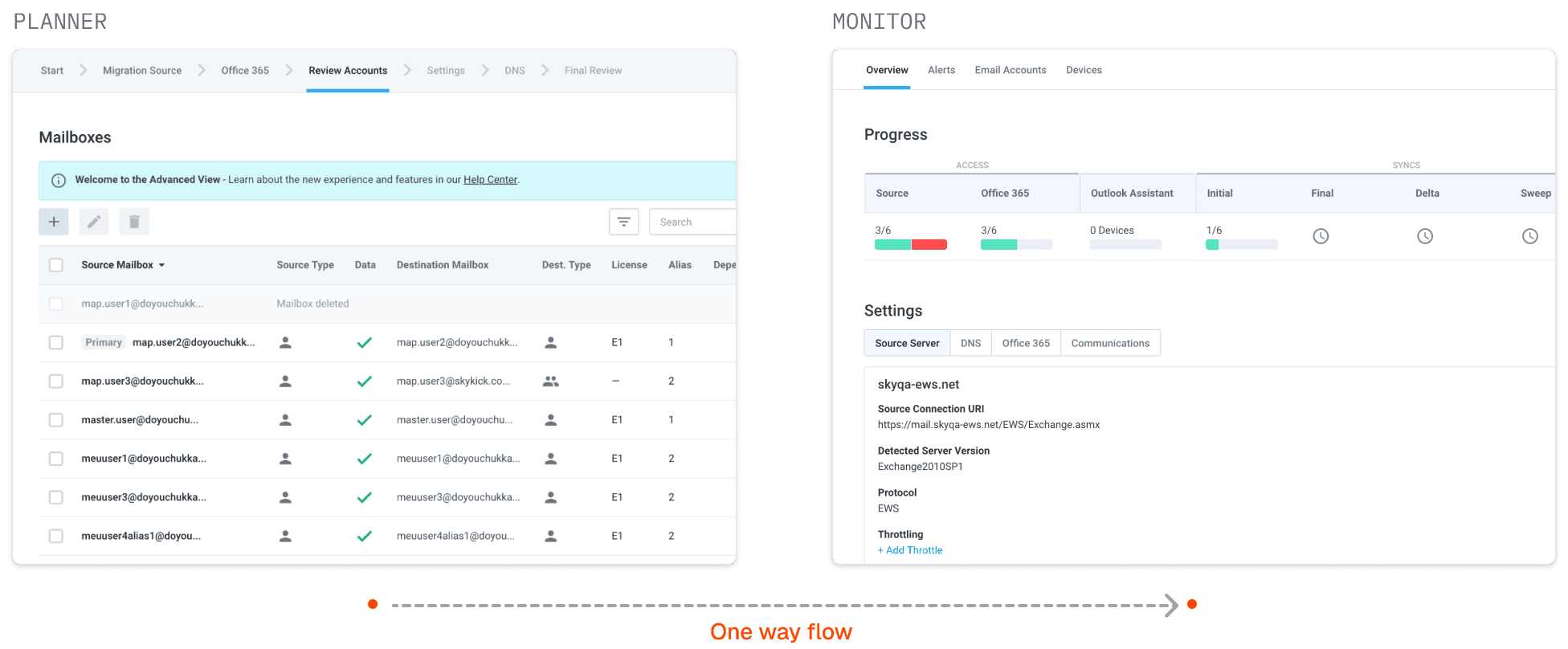
The product ran on a backend never designed for the scale it had reached. Years of incremental fixes had left it fragmented. Support escalations ran at 15–20%, and feature velocity had slowed. The experience didn't reflect how partners actually worked. IT providers manage migrations alongside active customer relationships, but the product enforced a rigid, linear wizard. Once a migration began, many settings locked, and there was no going back.
Before state showing disconnected planner wizard and monitor
BEFOREThe planner wizard and the monitor were two disconnected experiences, with no way back.

Approach

Reframing migration as orchestration
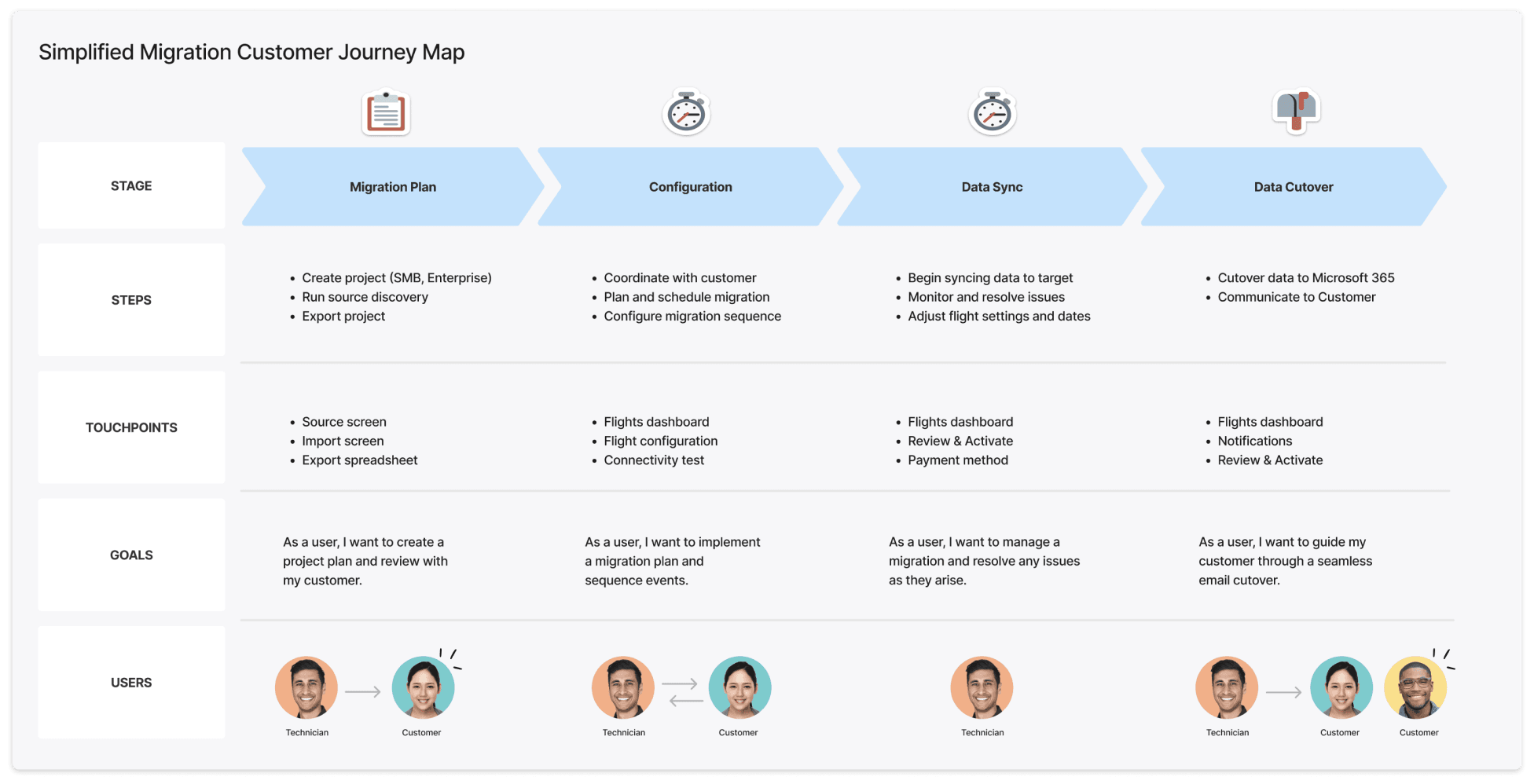
I re-examined the migration model itself. Support data and partner interviews pointed to a structural problem: the product was sequenced around the system, not the partner. I mapped the partner journey and made it visible to the team, then pressure-tested it in low-fi. A timeline view had early momentum until the edge cases piled up, and I dropped it.
Customer journey map showing four migration stages with steps, touchpoints, goals, and users
Four migration stages, with the steps, touchpoints, and goals at each.

Solution

Unified, flexible flow

We collapsed two disconnected tools into one. Partners could watch a migration run and change it without starting over.

1

Draft until it goes live

I applied draft and active states to the migration project, marking the moment data starts syncing across systems. Nothing moves until a partner activates, so they can start with the essential inputs, gather discovery data, and refine configuration as they go.
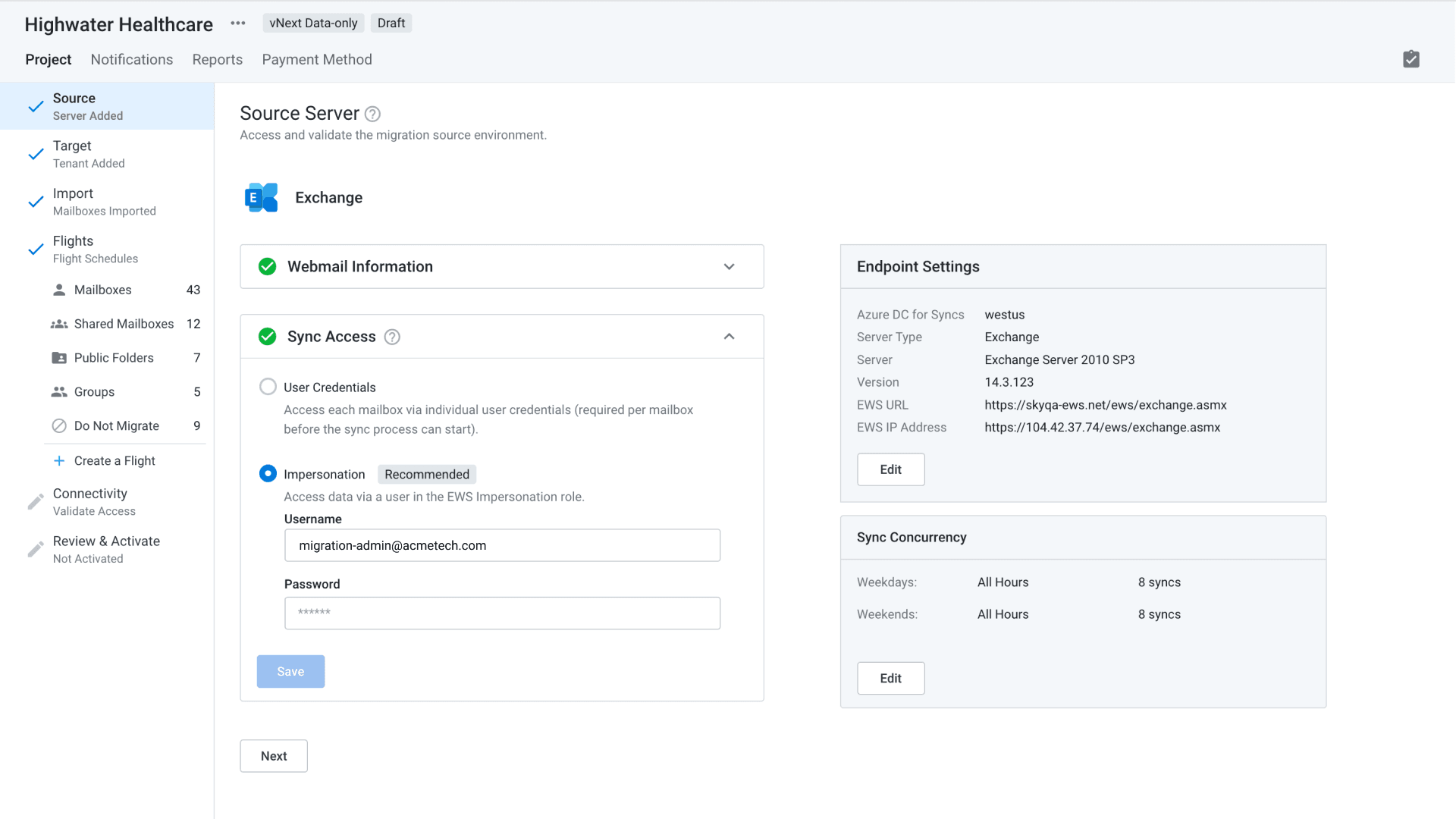
Source server setup in draft state, showing sync access, endpoint settings, and sync concurrency
The project in draft, with Review and Activate still pending.
2

Migration Flights

Partners could group mailboxes into prioritized batches and stage a rollout, executives first, broader teams later. I named the feature Flights. It tested well immediately and became a marketing pillar.
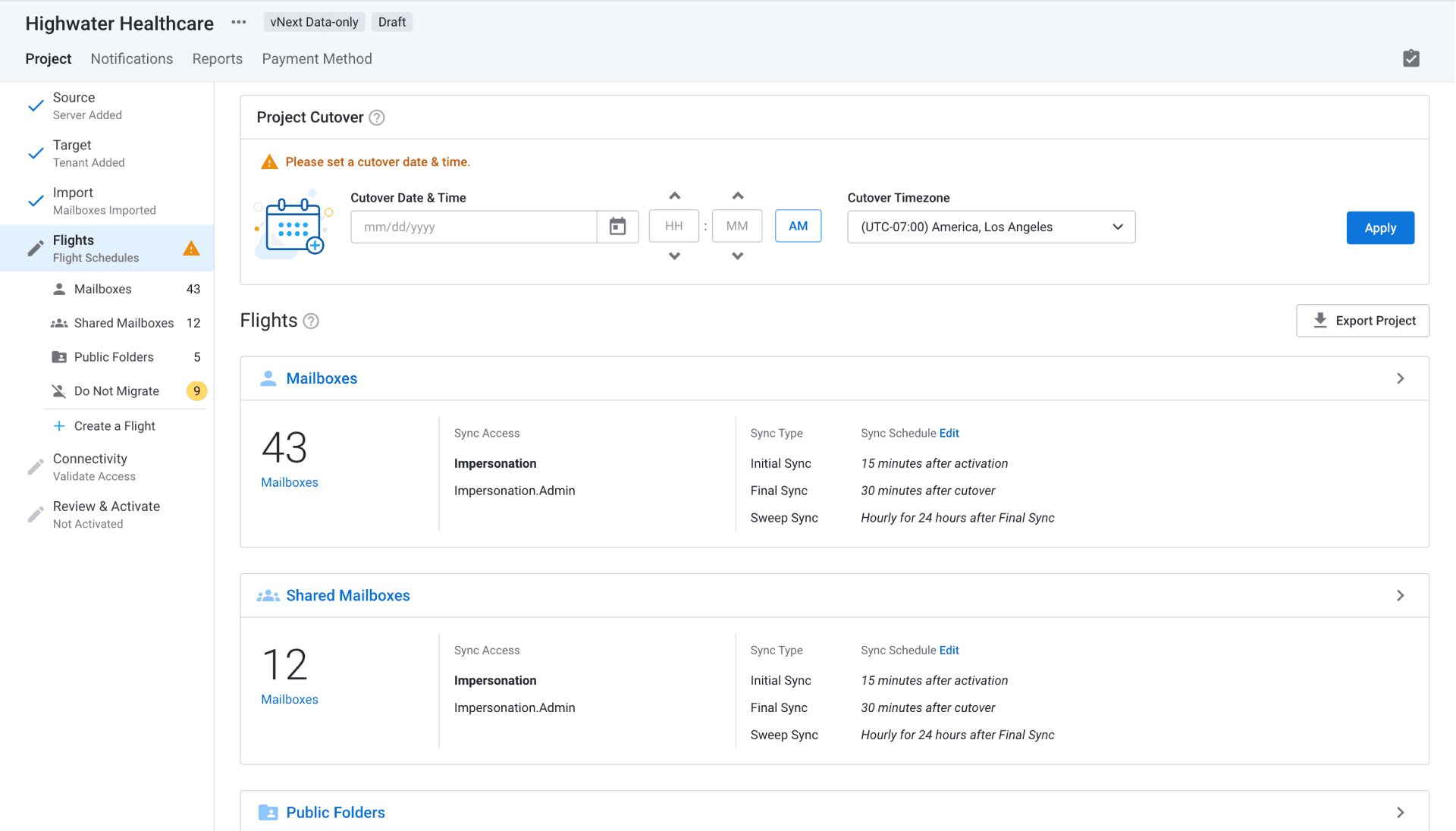
Flights dashboard in draft state showing cutover settings, a validation warning, and mailbox groups with sync schedules
Each flight carries its own sync schedule, gated by a single cutover date.
3

Non-linear navigation

I designed the project navigation to carry state, so a partner can see at a glance what is complete and what needs attention. Progressive disclosure kept the early steps simple, and shortcuts let partners jump straight to a flagged issue instead of calling support.
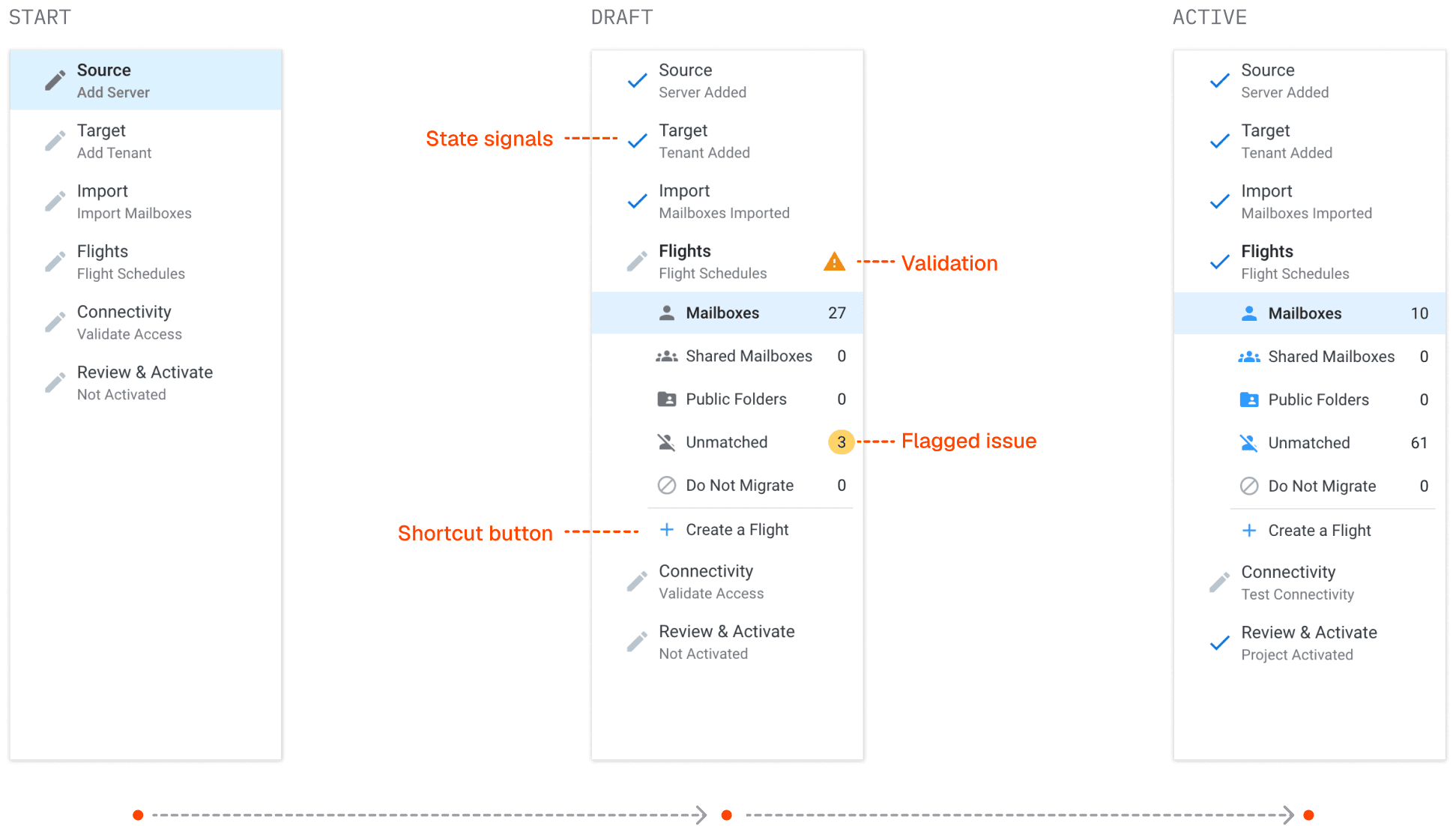
Project navigation shown at start, draft, and active states with validation warnings and issue counts
One navigation across three states, with counts and flags updating as the project moves.
4

Live plan reconfiguration

I made mailbox settings editable after a migration went live. The no-going-back constraint was gone, and with it the support dependency it had created.
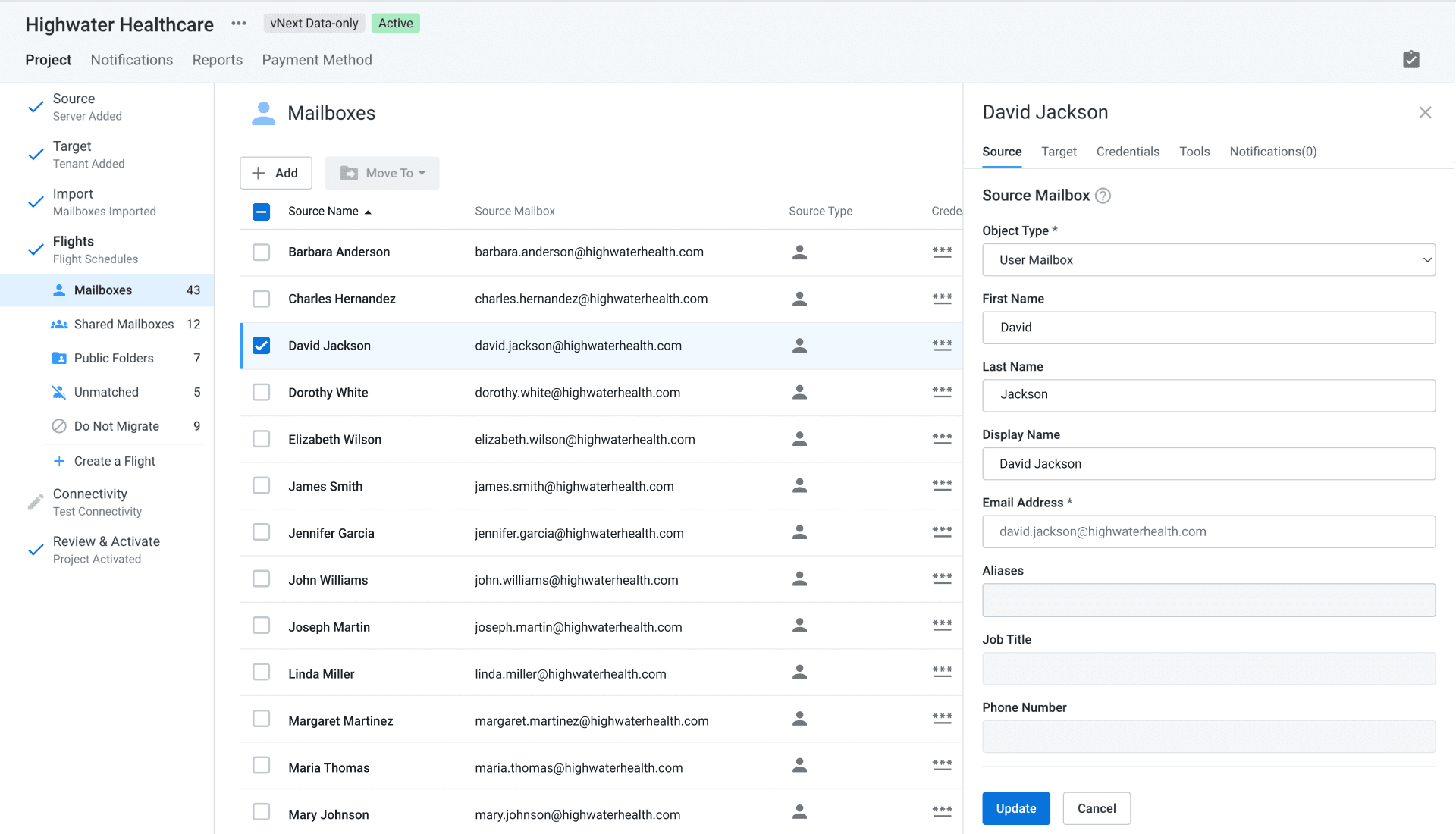
Mailbox list in the active state with a tabbed panel open on a single mailbox
Source, target, and credentials, changed one at a time or in bulk.

Outcomes

Less friction, more migrations

Partners finally got features they'd been asking for. For SkyKick, the redesign extended the life of its flagship product and unblocked scale with partners like GoDaddy.

Flights, the customization, is most valuable to us. That’s going to be absolutely monumental in the control that we have on all migrations moving forward.

IT technician
47%
Reduction in support tickets
53%
Increase in migration projects
24%
Increase in migration seats

With more time

I’d have pushed for shared event instrumentation, Design and Product working from the same behavioral data. The flexible navigation gave partners many paths through the product, and we couldn’t see which ones they took or where they dropped off. That visibility would have been the foundation for data-driven iteration.